I am so excited to share with you that the new Creative Memories website is here! This isn’t a simple update/refresh, but rather a whole new shopping experience.
You may have already received an email from Creative Memories inviting you to log into your account and take a spin around the website.
If you did not receive the email and have not already logged-in for the first time, the information below will help you get started.
Logging in for the first time
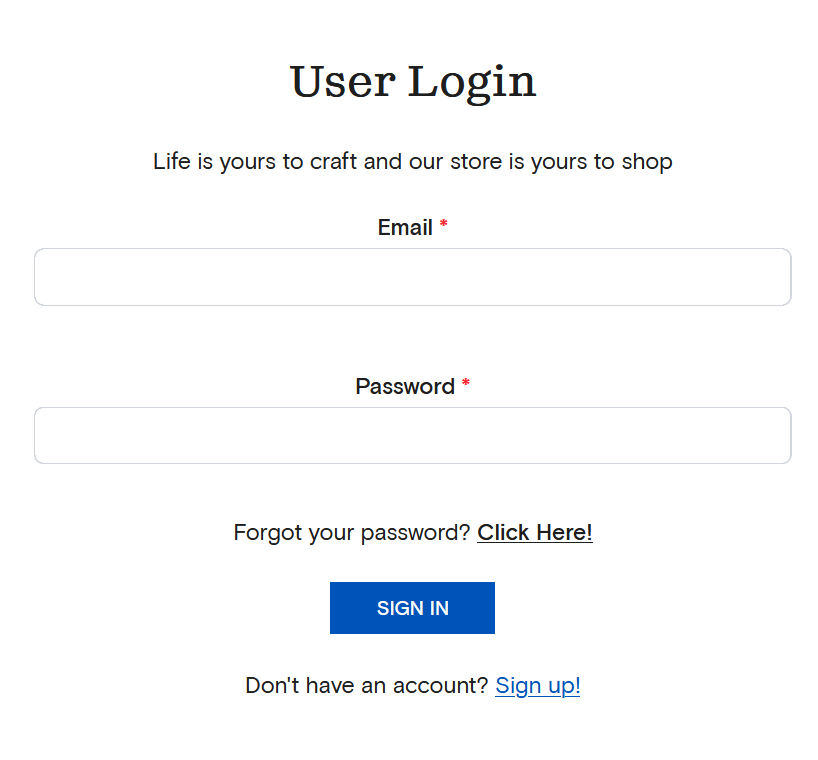
When you log into the new website for the first time, you may need to reset your password. If you do not receive a password reset email from Creative Memories, you can bypass that option and select the “Don’t have an account? Sign Up!” option.
When you create your “new” account, use the same email you previously used and set a new password.
You will receive an email from Creative Memories confirming the new account – be sure to click on the “Activate Account” button in that email.
Connecting with your advisor
IMPORTANT: When you’re ready to explore the new features, I’d love to help make sure you’re connected to me as your advisor after you log in. If you are a customer of another advisor, please see step 2 on how to search for your advisor.
There are two ways to connect with me:
- Click my shopping link -> RECOMMENDED OPTION www.creativememories.com/user/meggan
- This is the fastest way to connect your account to me. This sets a cookie in your web browser and will default your account to set me as your Advisor.
- If you’ve already logged-in, you can simply click the link above and it will connect you to my shopping site.
- NOTE: This cookie/connection can be reset if you click the personalized URL of another advisor, so my suggestion is that you bookmark my link and always access the CM website via that saved bookmark.
- Use the Advisor Search option
- Select ADVISOR SEARCH in the upper right side of the main page.
- Next, select “I have an existing Advisor”.
- In the next screen, enter my name: MEGGAN (don’t forget the two Gs). Click the dot next to my name and then click the “Select Advisor” button on the pop up and you will be all set!
Always confirm which advisor you are shopping with
When shopping online with Creative Memories, make sure you’re connected to your preferred advisor before you check out — this step can’t be done after an order is placed.
This matters because advisors earn commissions on online sales, and there’s no way to add an advisor to an order once it’s been submitted. If you forget, you’d need to contact CM Customer Service to cancel the order and start over, connecting with your advisor before completing the new checkout.
Taking that extra moment before you click “buy” makes a real difference for the advisor you love shopping with!
There are two places where you can check to see who you are shopping with:
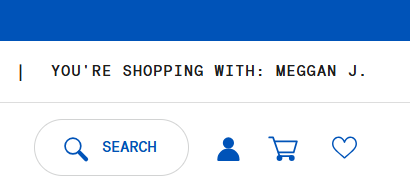
1. Main Shopping Page – at the top of the main site you will see the line: “You’re shopping with: First name + Last Initial.”
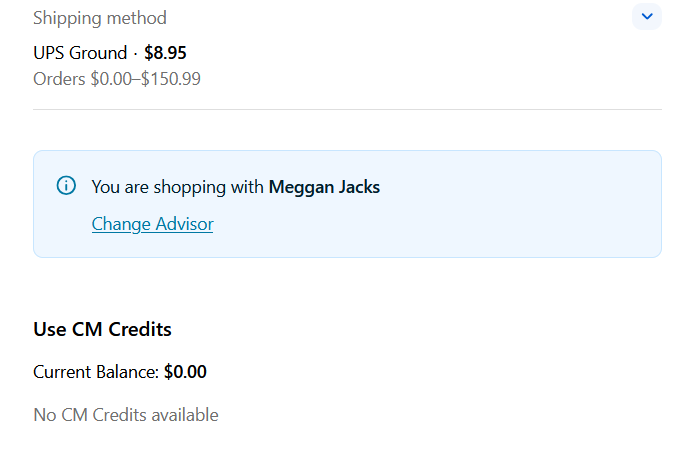
2. Check Out Page – There is a BLUE BOX on the main check out page on the just below the shipping options that will confirm the name of the advisor you are shopping with. If you do not see a name here, or see the wrong one, you can select/change your advisor before you finish checking out.
Thank you for your business!
I truly appreciate your support and thank you for taking the time to make sure that we stay connected when you shop the Creative Memories website.
Please reach out to me if you have any questions or concerns!